Lexicon vs CrateSweep for Cleaning a Serato Library
Lexicon and CrateSweep both find duplicate tracks, but they're built for different jobs. Pricing, workflow, and which to use for Serato cleanup.
Lexicon and CrateSweep both find duplicate tracks, but they’re answering different questions.
Lexicon is a broad DJ library hub for Mac and Windows — it syncs and converts libraries between Serato, rekordbox, Traktor, VirtualDJ, Engine DJ, and djay Pro, then layers on smart playlists, cue-point generation, discovery, and cloud backup. CrateSweep is a focused macOS app that reads your Serato database directly, groups the duplicates, helps you pick which copy to keep, and removes the entry and file together — with a backup taken first.
The short answer: if your library has to live in more than one DJ app, get Lexicon. If the job is cleaning duplicates out of one Serato library on a Mac, CrateSweep does that job with less workflow and a lot less money. The rest of this comparison is the detail behind that answer.
The two tools start from different problems
Lexicon starts from a library-management problem: your music and prep need to move between platforms, so you adopt one central place to sync, convert, organize, and back everything up.
CrateSweep starts from a cleanup problem: Serato has repeated entries and files, and you want them compared, the losers removed, and the database left consistent with what’s actually on disk.
Keep that framing and most of the comparison resolves itself. Lexicon has enormous breadth. CrateSweep has a short, Serato-specific workflow and a one-time price. A multi-app DJ hits CrateSweep’s Serato-only wall immediately; a Serato-only DJ doing one cleanup may never touch most of what Ultimate charges for.
How each tool finds duplicates
Lexicon’s duplicate finder uses audio fingerprinting, so it can match files that have been renamed or converted to a different format. On raw matching power, that’s the stronger approach — fingerprinting catches things no name- or metadata-based comparison can. Two caveats: it’s an Ultimate-tier feature, and using it means syncing your library into Lexicon, working there, and syncing back.
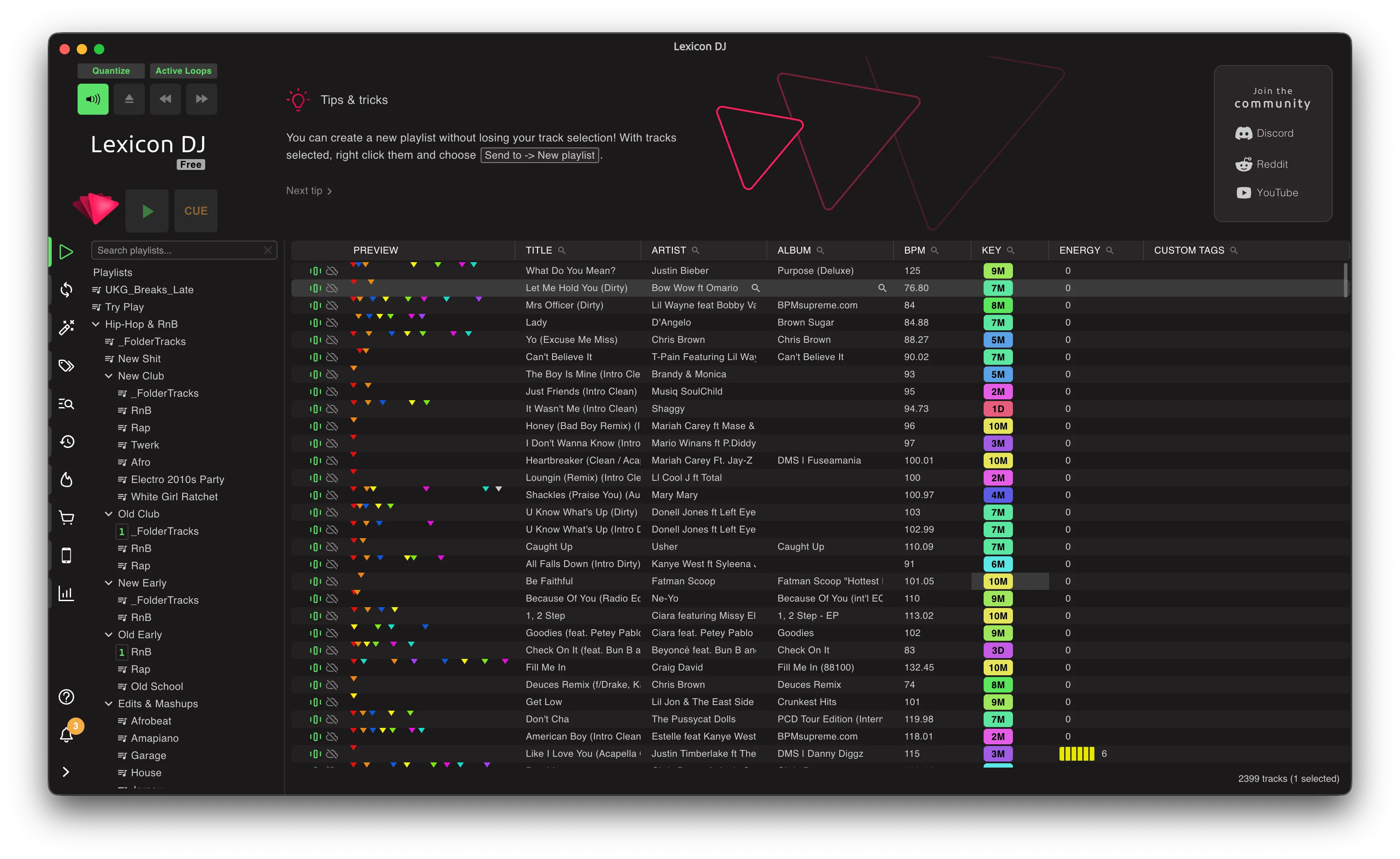
CrateSweep runs three scan modes against the Serato database itself:
- Exact for true duplicates — the same track twice.
- Similar for renamed copies and re-downloads.
- All Versions to group clean, dirty, instrumental, and remix versions of a song.
Results show the play count and bitrate for every copy, and Smart Select uses those to pre-tick the lower-value one in each group — every pick overridable before anything happens.
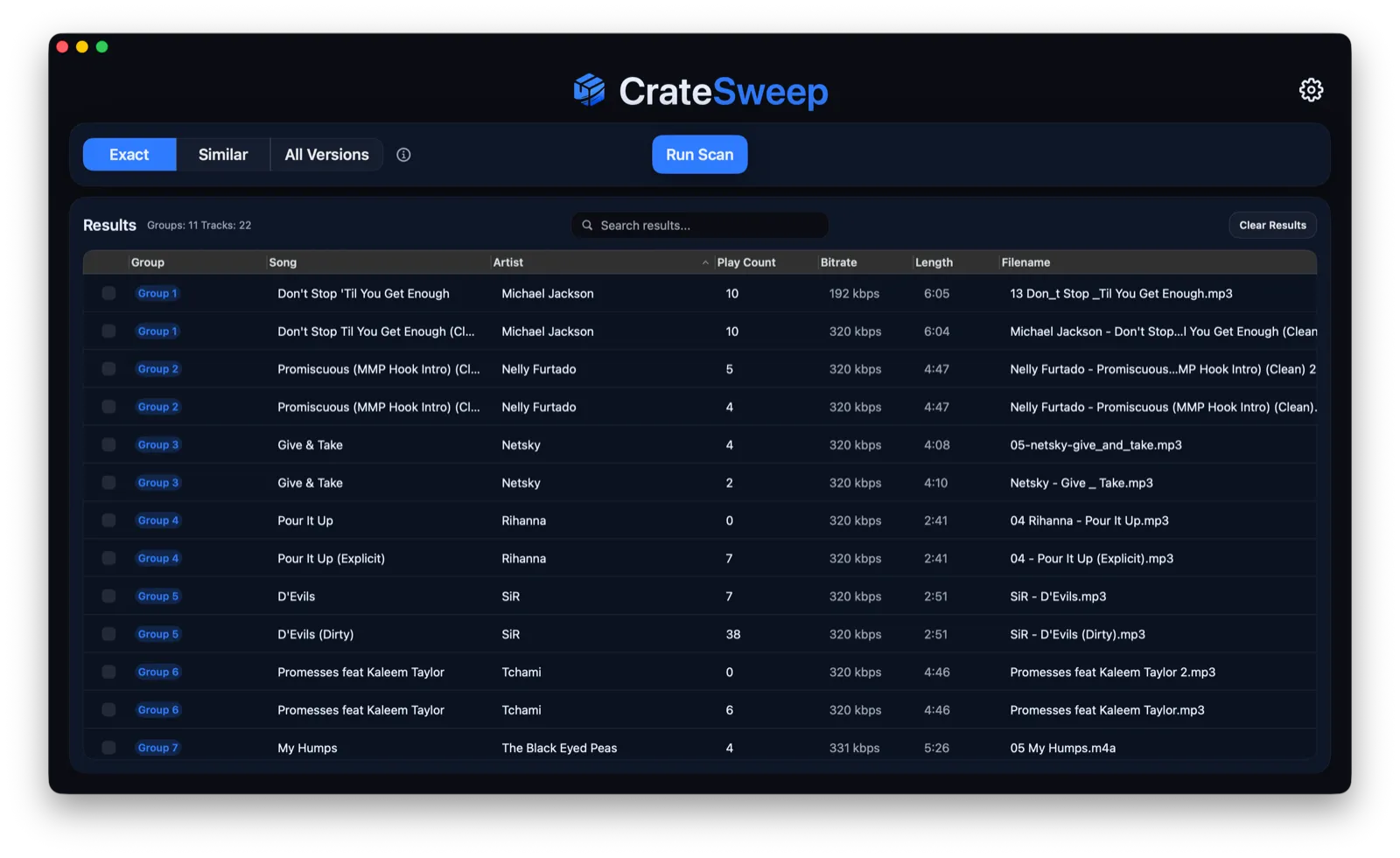
So the real question isn’t “which matcher is smarter” — it’s where your problem is hardest. If your duplicates hide behind renames and format changes across a messy multi-app collection, fingerprinting earns its keep. If your duplicates are the ordinary Serato kind — same track imported from two folders, Downloads strays, USB round-trips — the harder part is safely acting on the matches, and that’s what CrateSweep’s workflow is built around. (For scale, the manual baseline shows what doing it without either tool costs you.)
Hub workflow versus direct Serato cleanup
Lexicon’s hub model — sync in, work, sync back — is what makes cross-app management possible. It’s also overhead you’re accepting whether or not you need the “cross-app” part.
CrateSweep skips the hub and works directly on Serato’s database V2, the file inside the _Serato_ folder that holds every library record. Because it’s operating on the records themselves, the dangerous two-step of manual cleanup — remove the entry in Serato, then hunt down and delete the right file in Finder — collapses into one action: entry removed, file to the Trash, together. You can’t orphan the copy you kept.
For a Serato-only cleanup, direct access keeps the whole thing to minutes. For cross-app management, direct access is too narrow by definition — Lexicon’s model does more because it has to connect more.
Safety and recovery
Any duplicate cleanup deserves a review step — the copy with the tidier filename isn’t automatically the one with your play history and cues on it, and alternate versions often belong in the library together.
CrateSweep is opinionated about this: grouped review before anything, Smart Select suggestions you can override, an automatic timestamped backup of the Serato database before every deletion run, one-click restore after it, and files in the Trash rather than gone. The safety net exists because deletion is the one step you can’t take back by hand.
Lexicon’s protection works at a different scope: the hub itself is a buffer (you work on the synced copy before pushing changes back), and Ultimate’s cloud backup protects the library on an ongoing basis — a genuine advantage if off-device protection is part of what you’re buying. One covers the deletion run; the other covers your library’s life. Different jobs, both legitimate.
Pricing for duplicate cleanup
| Tool or tier | Price | Duplicate finding |
|---|---|---|
| Lexicon Essential | $9.99/month or $199 lifetime | Not included |
| Lexicon Ultimate | $19.99/month or $399 lifetime | Included, audio fingerprinting |
| CrateSweep | Free scan and review; $19 one-time deletion license | Included in the free scan |
If duplicate cleanup is the whole buying decision, the math is short: CrateSweep shows you every duplicate for free, and getting rid of them costs $19 once. Lexicon’s duplicate finder starts at Ultimate — $19.99 per month, or $399 lifetime.
If you’d also use conversion, cloud backup, smart playlists, and the rest, stop pricing Lexicon as a duplicate remover — price it as the library manager it is, where the package is genuinely strong. The full Lexicon DJ review takes that wider view.
When Lexicon wins
Lexicon wins the moment your library crosses an app boundary. Serato 3/4, rekordbox 5–7, Traktor Pro 3/4, VirtualDJ, Engine DJ, djay Pro, on Mac and Windows — nothing in CrateSweep’s category touches that, and conversion between them is free.
It also wins when the surrounding toolset is the point: cloud backup, smart playlists, editing, analysis, cue generation, watch folders. And it wins on matching breadth — fingerprinting identifies copies that renames and format changes would hide from anything else.
If you’re on more than one platform, start with Lexicon. It was built for exactly that.
When CrateSweep wins
CrateSweep wins when the scope is one Serato library on one Mac and the goal is getting the duplicates out.
There’s no hub to adopt and nothing to sync — open it, it finds your Serato library, you scan. The review screen shows the comparison you’d otherwise do by hand (play counts, bitrates, filenames, side by side), Smart Select does the tedious pre-picking, and deletion keeps entry and file together with the backup already taken. The free scan means you see exactly what you’ve got before spending anything; $19 once unlocks deletion.
The limits are firm: macOS Sonoma 14.0+ only (Apple Silicon and Intel), Serato DJ v4+ only. No Windows, no rekordbox, no cloud tools. It does one job — that’s the trade.
Lexicon vs CrateSweep comparison
| Lexicon DJ | CrateSweep | |
|---|---|---|
| Main job | Broad DJ library management | Focused Serato duplicate cleanup |
| Platforms | Mac and Windows | macOS Sonoma 14.0+ |
| DJ app support | Serato, rekordbox, Traktor, VirtualDJ, Engine DJ, djay Pro | Serato DJ v4+ only |
| Duplicate approach | Audio fingerprinting | Exact, Similar, All Versions scans on the Serato database |
| Workflow | Sync into Lexicon, work, sync back | Work directly on database V2 |
| Selection context | Fingerprint matches | Play count and bitrate, overridable Smart Select picks |
| Backup | Cloud backup in Ultimate | Automatic database backup and one-click restore per deletion run |
| Duplicate-cleanup price | Ultimate: $19.99/month or $399 lifetime | Free scan; $19 one-time deletion license |
Verdict
Multi-app DJ: Lexicon, without much debate. Its conversion, compatibility, fingerprinting, and cloud tools solve problems CrateSweep doesn’t attempt.
Serato-only DJ on a Mac who wants the duplicates gone: CrateSweep is the more direct and far cheaper path — straight into the database, safety net included, no hub and no subscription. Running both is legitimate too (Lexicon as the ongoing organizer, CrateSweep for the focused cleanup), but most people can decide with one question: are you managing a library across DJ apps, or cleaning duplicates out of Serato?
Still weighing a free file-level tool instead? Read dupeGuru vs CrateSweep before pointing anything generic at a Serato music folder.
CrateSweep for Serato
Sweep your library in minutes
Find duplicate tracks, review every match, and keep your Serato crates clean before your next set.
Download Free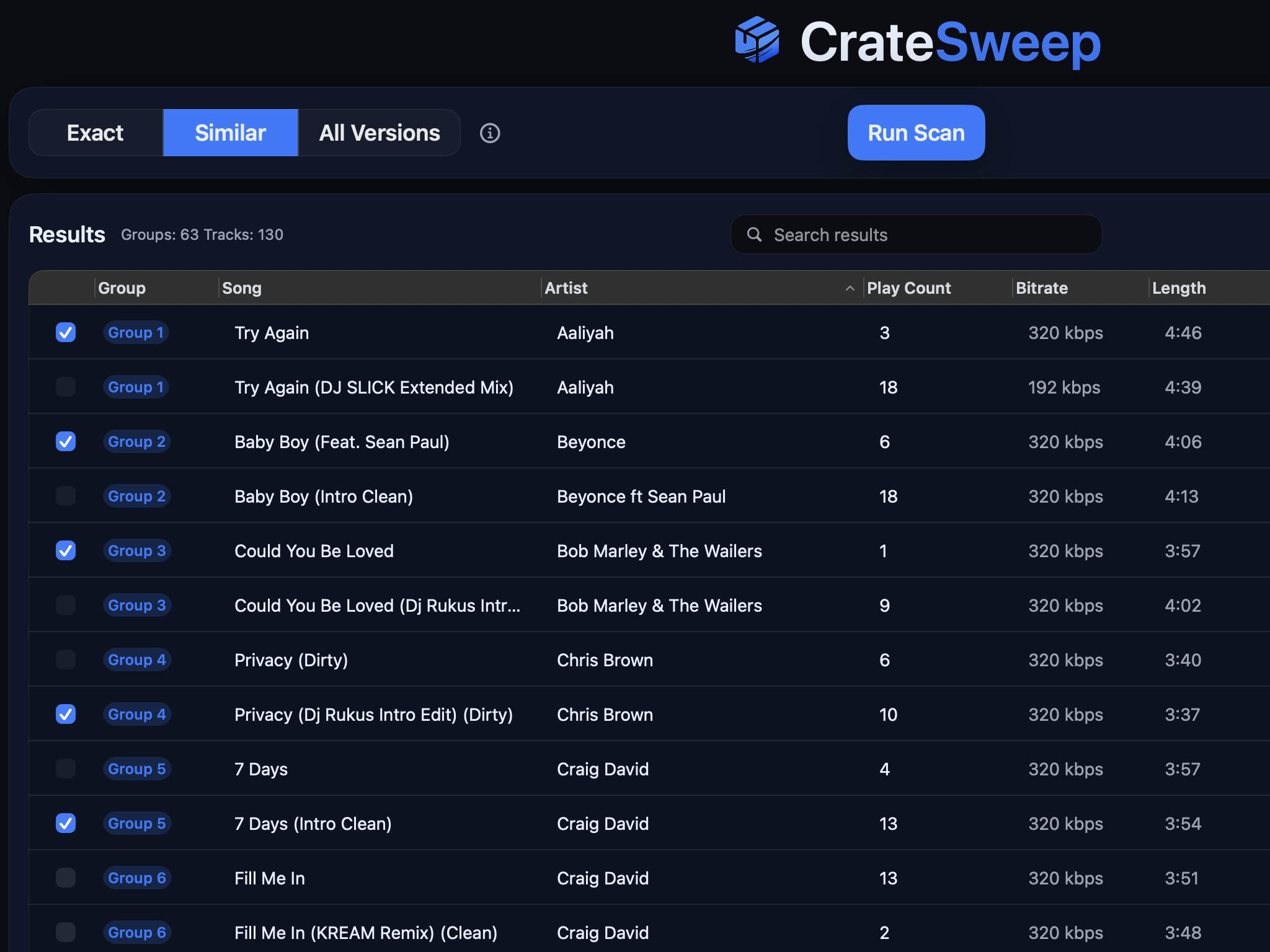
Related guides
Crate Hackers Review 2026: Is It Worth $30/Month?
What Crate Hackers actually does, who the curated crates help, where it falls short, and why crate-building works better on a clean Serato library.
dupeGuru vs CrateSweep for Serato Duplicates (2026)
dupeGuru is free but doesn't know Serato exists. What each tool catches, what deleting files does to your crates, and which is safer for DJs.
Lexicon DJ Review 2026: Features, Pricing, Alternatives
An honest Lexicon DJ review for 2026: what the library manager does well, what it costs, and when a focused Serato cleanup tool is the better fit.