Lexicon DJ Review 2026: Features, Pricing, Alternatives
An honest Lexicon DJ review for 2026: what the library manager does well, what it costs, and when a focused Serato cleanup tool is the better fit.

Lexicon DJ is a library manager in the fullest sense: it converts libraries between DJ apps, edits tracks and playlists, generates cue points, builds smart playlists, backs up to the cloud, and finds duplicates. It’s built for DJs who need one place to run a library across several DJ platforms.
That’s a real problem, and Lexicon solves it well. It’s also a much bigger problem than the one that brings many DJs here — “I use Serato, and the same track shows up three times.” So this review covers the whole product honestly first: what Lexicon does, what the two tiers cost, and where it earns its price. Then the narrower question of whether a Serato-only DJ hunting duplicates actually needs it.
What is Lexicon DJ?
Lexicon is a desktop library-management app for Mac and Windows that works as a hub between Serato DJ, rekordbox, Traktor, VirtualDJ, Engine DJ, and djay Pro.
The workflow is different from working inside your DJ app: you sync your library into Lexicon, do the library work there, then sync the result back out. For DJs who move between platforms — Serato at the bar residency, rekordbox on club CDJs — that central library is exactly the point. Supported sources cover Serato DJ 3 and 4 (Lite and Pro), rekordbox 5–7, Traktor Pro 3 and 4, VirtualDJ, Engine DJ, and djay Pro, and conversion between them is free.
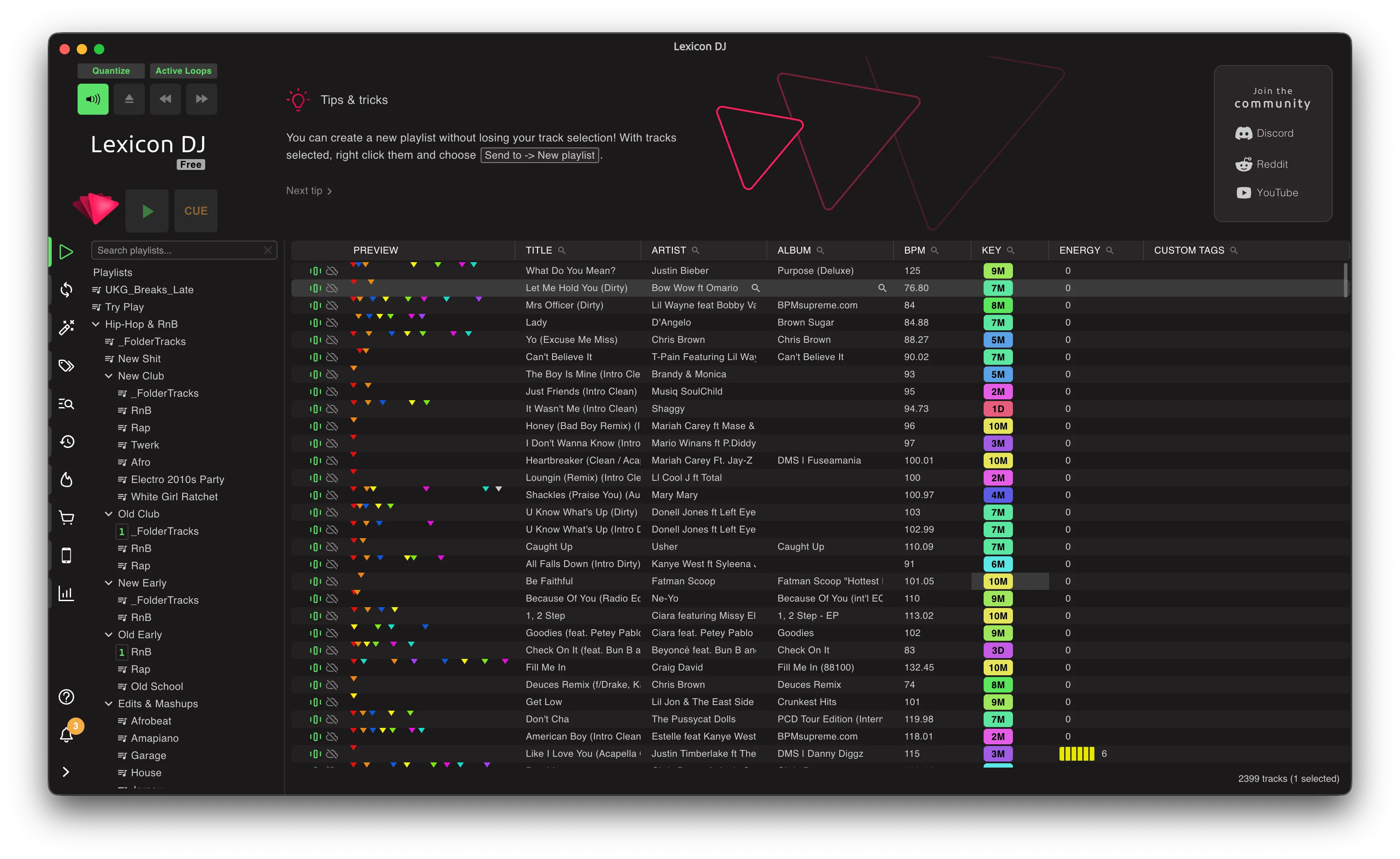
If you only use Serato, the hub can still be useful — the question this review keeps coming back to is whether enough of the wider toolset fits your workflow to justify the sync-in, sync-back loop and the price.
Lexicon DJ features
Library sync and conversion
Cross-app conversion is Lexicon’s clearest win, and the conversion itself is free. If your library has to exist in Serato and rekordbox, there’s no real substitute — certainly not CrateSweep, which is Serato-only and macOS-only. For this job, Lexicon is simply the right category of tool.
Track, playlist, and smart-playlist tools
The Essential tier includes track and playlist editing, a mobile app, smart playlists, and analysis. These are living-with-it features, not a one-off cleanup — smart playlists in particular reward DJs who want the library to keep organizing itself around rules, week after week.
Cue-point generation
Ultimate adds cue-point generation: another prep task pulled into the same hub. It’s a good example of what you’re actually buying with Lexicon — breadth. Duplicate removal is one part of a much larger prep-and-organization system.
Duplicate finder
Lexicon finds duplicates by audio fingerprinting, which means it catches renamed files and copies in different formats — genuinely stronger matching than anything based on names or metadata. The pricing catch: the duplicate finder isn’t in Essential. It needs Ultimate, the higher tier.
Cloud backup, watch folders, and discovery
Ultimate also brings cloud backup, watch folders, and discovery. Cloud backup is a real advantage over any cleanup-only utility — if ongoing off-device library protection matters to you, count that value in rather than pricing Lexicon as an expensive duplicate button.
How much does Lexicon DJ cost?
| Tier | Monthly | Lifetime | Highlights |
|---|---|---|---|
| Essential | $9.99 | $199 | Track and playlist editing, mobile app, smart playlists, analysis |
| Ultimate | $19.99 | $399 | Cue-point generation, duplicate finder, watch folders, discovery, cloud backup |
Lifetime removes the subscription but keeps the same feature split — so if duplicate cleanup is why you’re shopping, the relevant price is Ultimate: $19.99 a month or $399 once. Library conversion stays free either way, which makes Lexicon easy to try for its cross-app purpose before committing to a paid tier.
What Lexicon does well
Lexicon is genuinely powerful. The hub model gives multi-app DJs a consistent home for the library, on Mac and Windows, across six DJ platforms. The fingerprint-based duplicate matching is excellent — renamed files and format changes are exactly what simpler comparisons miss. And the combined weight of smart playlists, cue generation, discovery, watch folders, and cloud backup adds up to a package no focused utility matches.
If your library crosses app boundaries, or you want one system managing everything, Lexicon is the strongest tool in its category and you’re paying for range you’ll actually use.
Where Lexicon may be overkill
Now the narrower case — and if you’re a Serato DJ reading a review of a library manager because your search results are full of doubles, this is probably you.
You use Serato on a Mac. Your crates work. You don’t need conversion to rekordbox, cue generation, or a new hub to live in. You need the duplicates gone before Friday.
Lexicon can do that job, and its fingerprinting will do it well. But look at what the job costs you: sync your whole library into Lexicon, run the duplicate pass there, sync everything back — and pay for Ultimate, at $19.99 a month or $399 lifetime, to unlock the one feature you came for.
CrateSweep is built for exactly this narrower job. It reads the Serato database directly — no hub, no sync loop — and scans in three modes (Exact, Similar, All Versions). You review grouped results with play counts and bitrates side by side, Smart Select pre-ticks the lower-value copy in each group, and every pick stays overridable. Before deleting it takes an automatic timestamped backup of your Serato database, then removes the entry and moves the file to the Trash together. Scanning is free; deletion is $19 once, no subscription.
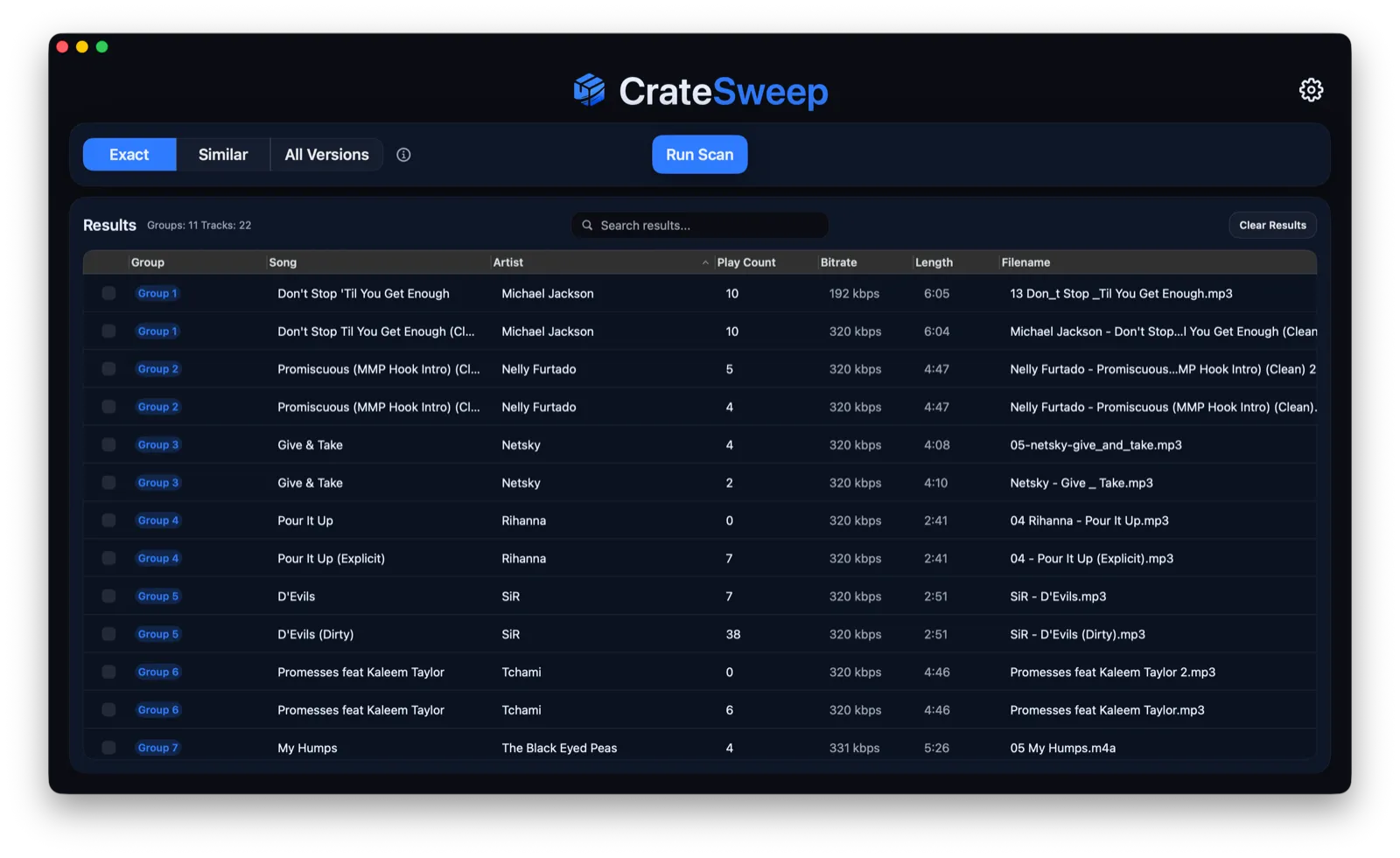
The honest trade-off: CrateSweep is macOS-only (Sonoma 14.0+, Apple Silicon and Intel) and Serato-only (v4+). It doesn’t convert libraries, back up to the cloud, or manage anything beyond cleanup. If you need any of that, you’re back in Lexicon territory — the Lexicon vs CrateSweep comparison walks the decision in detail.
Lexicon alternatives
The right alternative depends on what the actual job is.
Focused Serato duplicate cleanup on a Mac: CrateSweep, per above — or the free manual method inside Serato if the library is small.
Free, general file deduplication: dupeGuru — open source, cross-platform, but it has no idea Serato exists, which matters more than it sounds. The dupeGuru vs CrateSweep comparison explains the file-versus-library-entry problem.
Crate curation and music discovery: Crate Hackers — curated crates and set prep, not cleanup. The Crate Hackers review covers where it fits.
None of these matches Lexicon’s app range. They’re alternatives only when your need is narrower than Lexicon’s scope — which, for a lot of Serato DJs, it is.
Verdict
Lexicon DJ is the clear choice when your library crosses software boundaries or you’ll live in several of its management tools. Free conversion, six supported platforms, fingerprint matching, smart playlists, cloud backup — no focused utility competes with that package, and this review isn’t going to pretend otherwise.
But if you’re a Serato-only DJ on a Mac and the job is one duplicate cleanup, Ultimate is a lot of product — and a lot of price — for one feature. A free scan that shows you every duplicate before you pay anything, and a $19 one-time license if you want them gone, is the simpler fit.
Choose by the job. Managing a library across DJ apps: Lexicon, clearly. Cleaning one Serato library on one Mac: weigh the breadth you won’t use against the workflow and the price, and start with the free scan.
CrateSweep for Serato
Sweep your library in minutes
Find duplicate tracks, review every match, and keep your Serato crates clean before your next set.
Download Free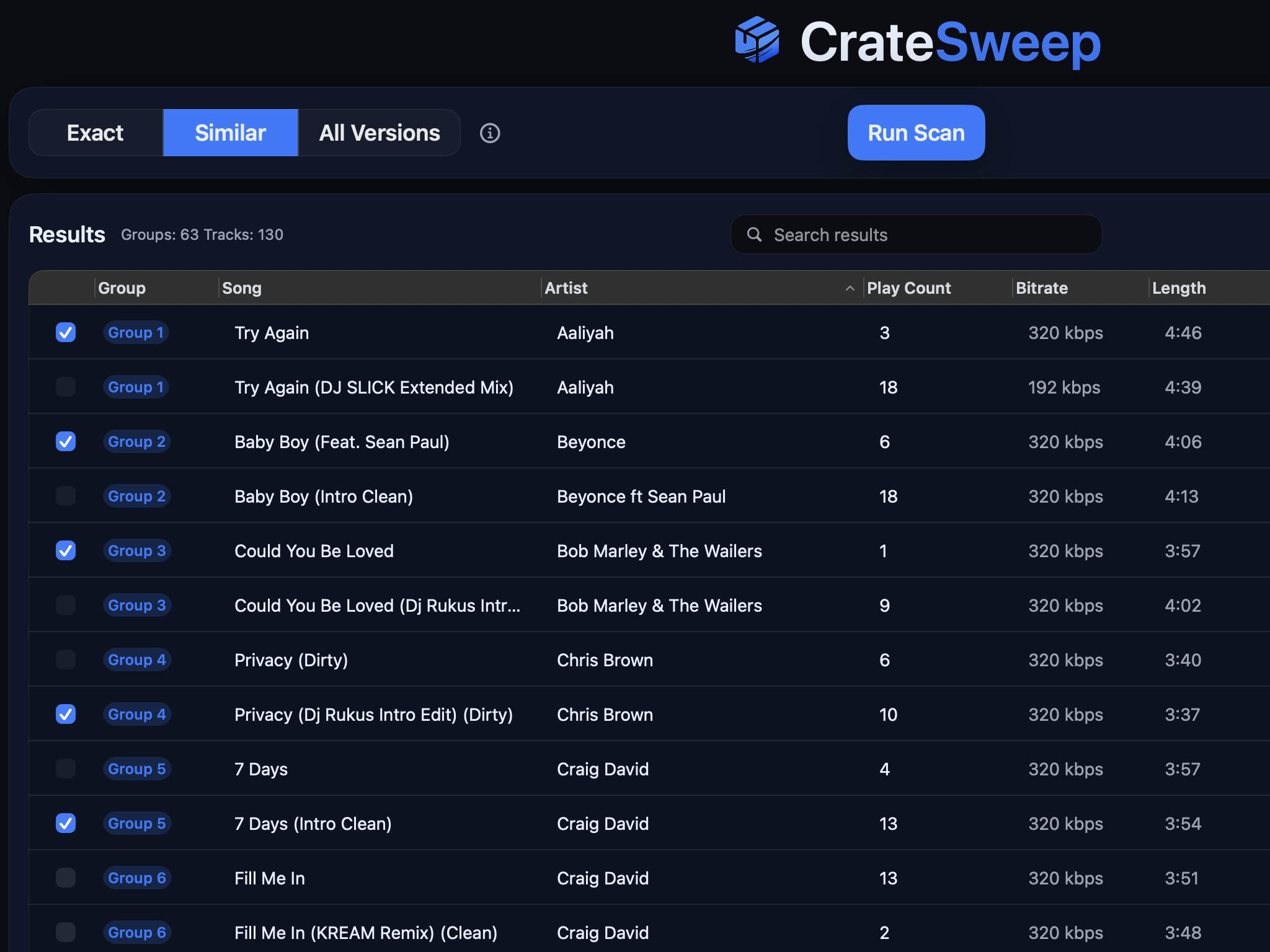
Related guides
Crate Hackers Review 2026: Is It Worth $30/Month?
What Crate Hackers actually does, who the curated crates help, where it falls short, and why crate-building works better on a clean Serato library.
dupeGuru vs CrateSweep for Serato Duplicates (2026)
dupeGuru is free but doesn't know Serato exists. What each tool catches, what deleting files does to your crates, and which is safer for DJs.
Lexicon vs CrateSweep for Cleaning a Serato Library
Lexicon and CrateSweep both find duplicate tracks, but they're built for different jobs. Pricing, workflow, and which to use for Serato cleanup.